
How to send a campaign gradually
When you send a campaign to a large audience, everyone gets it at once. That can mean a rush of visitors that slows down your website, or a pile of replies all landing in your inbox at the same time.
Gradual sending spreads your campaign's delivery over a period you choose, from 30 minutes up to 24 hours.
Gradual sending is a Pro feature. Everyone can try it for free until 30 October 2026. It's available for campaigns sent to 500 or more subscribers, and it isn't available on EmailOctopus Connect yet.
How to turn on gradual sending
- Create your campaign as usual and go to the Review screen.
- Find the How it's delivered section.
-
Select Gradual sending.
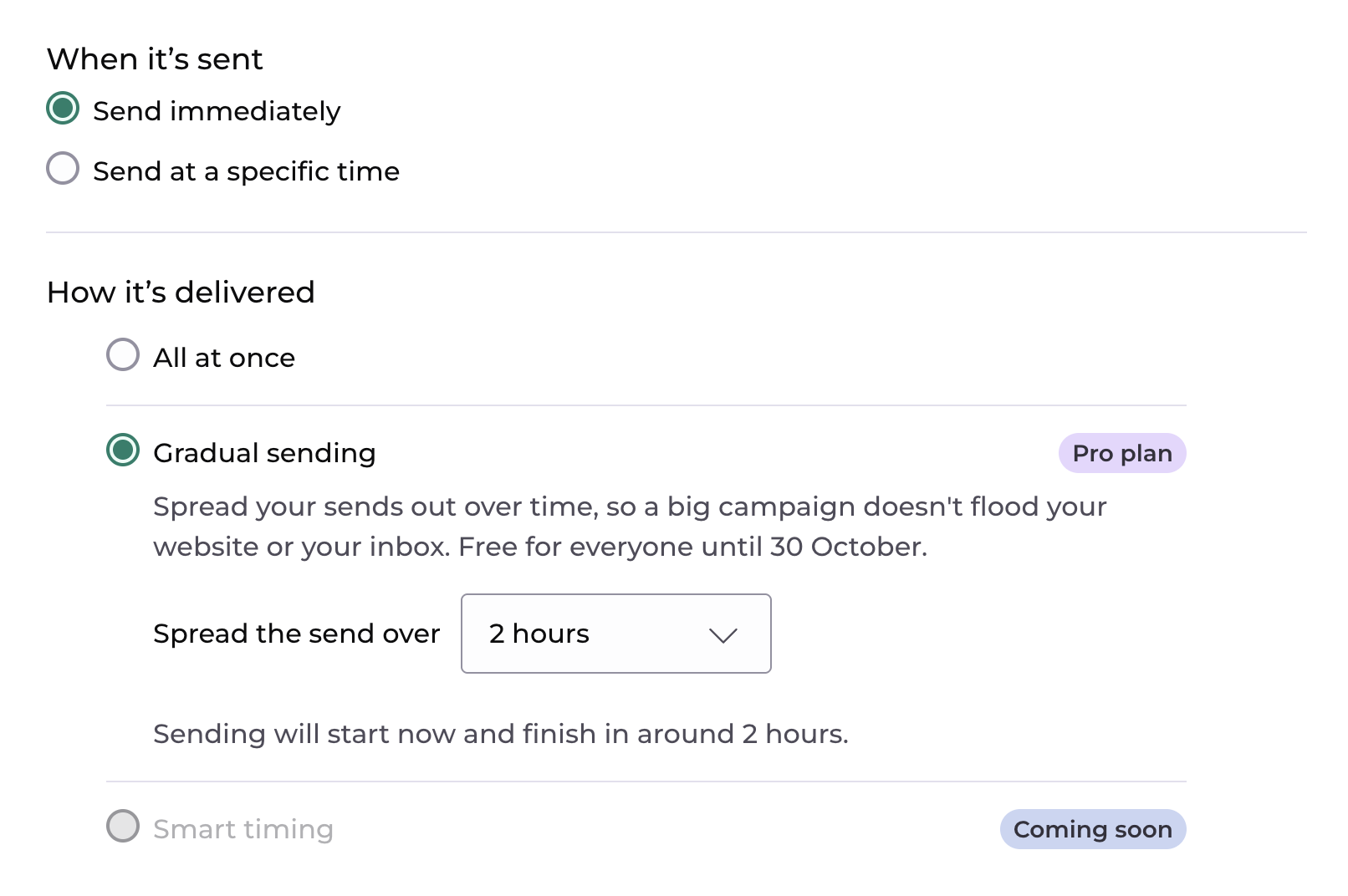
- Pick how long you'd like delivery to take.
- Send your campaign now or schedule it for later.
How long it'll take
You can choose from 30 minutes, 1, 2, 3, 4, 6, 8, 12, 18 or 24 hours. The options you'll see depend on how many people you're sending to, so not every duration shows up for every campaign. Selecting Gradual sending initially chooses two hours where available, otherwise the shortest available duration.
Before you send, we show when sending will start and roughly when it'll finish, so you can plan around it (for example, making sure someone's around to answer replies).
The duration you pick is a target. It starts once sending begins, after we've prepared your campaign and completed any checks. Your account limits, other campaigns you're sending, or delays at email providers can mean it takes a little longer than planned.
What we can guarantee is that we'll never send faster than the pace your chosen duration sets.
Unsubscribes during sending
Because gradual sending takes a while, some contacts may unsubscribe or be deleted before their email goes out. We check each contact just before sending to them, and skip anyone who's no longer eligible.
When to use it
- Protecting your website/server. Stops a big send from flooding your site with traffic all at once.
- Managing replies. Handy if your campaign asks people to reply, book or get in touch, and you want the responses to arrive at a pace you can keep up with.
- Warming up a new domain. Sending more gradually can help you build a strong sending reputation, especially early on.
You'll also see Smart timing in the "How it's delivered" section. This feature is coming soon and will send your email to each subscriber at the time they're most likely to open it.